

问题原文
原帖链接 · cute_ptr · CC BY-SA 4.0
Generally, when SVGs are displayed responsively, we only need to set the viewBox attribute on the <svg> and can entirely omit the width and height attributes (i.e. something like <svg viewBox="0 0 20 20"> is enough). So, I wonder how SVG images with width and height attributes omitted are indexed by a search engine like Google, i.e. with what size they are displayed in Image Search.
I did a little bit of searching, and it seems that they are displayed as follows:
- if the graphic is wider than tall: width is
800pxand height is set to preserve the aspect ratio - else: height is
800pxand width is set to preserve the aspect ratio
On the other hand, SVG images with width and height attributes set seem to be displayed in Image Search with the size as indicated in the two attributes (e.g. <svg viewBox="0 0 20 20" width="100" height="100"> is displayed as 100x100).
I also found an SVG image whose width and height are set to 100% , and it is displayed as 2000x2000 in Image Search.
So, what is the best practice for the width and height attributes of SVG images? Should they be omitted, set to 100%, or set to some other value?
社区高分解答
原帖链接 · Electron · CC BY-SA 4.0
While SVG's can be a purpose of their own, websites, accessibility readers and much of what you need to account for with SEO, is based on the standard IMG schema.
Because of this, it's best practice to do what search engines expect, which is to use the established good old IMG schema and all its attributes.
As SVG matures, no doubt we will see more robust image schemas develop, but for now, keep with the regular IMG schema that accessibility devices and all browsers understand.
Based on the above
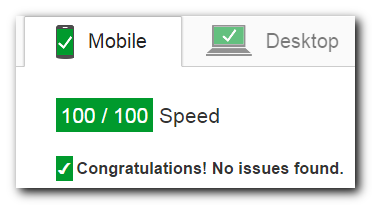
Always define the width and height attributes of an image. This will help avoid unnecessary repaints and reflows during rendering.
Google Page Speed

If you don't markup code correctly using HTML height and width properties and it has an impact on your site, Google and other search engines will penalise you in search results.
Media Embedding
Furthermore, your images may not display correctly when embedding in applications or social media.
Always specify both the height and width attributes for images. If height and width are set, the space required for the image is reserved when the page is loaded. However, without these attributes, the browser does not know the size of the image, and cannot reserve the appropriate space to it. The effect will be that the page layout will change during loading (while the images load).
Sitespeed: Do images require width and height attributes?
When you include the image dimensions, the browser can draw out the "containers" that will hold the images, reserving the space for them while they download. The browser can then go on the paint the rest of the pages CSS and objects around those "containers" without having to go back and redraw the whole page once the images have downloaded and their sizes are then known.
See technical specification on W3C.
摘自公开归档,保留原文语言,版式经整理,外部媒体与邮箱地址已移除。