

问题原文
原帖链接 · Nic · CC BY-SA 4.0
I recently started using Google Search Console for the first time, and for the most part it's been working well. I only have experience with the new version of the console released in 2018. However, some features like the change of address tool are apparently only supported in the old version of Search Console, so I need to access the old console. However, I can't figure out where to go to access it.
How does one access the old legacy version of Google Search Console in 2019?
已采纳解答
原帖链接 · virajshah125 · CC BY-SA 4.0
Google has added the tool 'change of address' in the new search console. So there is no need to use the old search console version.
Step 1 - Go to settings followed by tools and click on 'Change of address' Step 2 - Select your new site Note - You need to have your domain verified on the same Google Search Console Account.
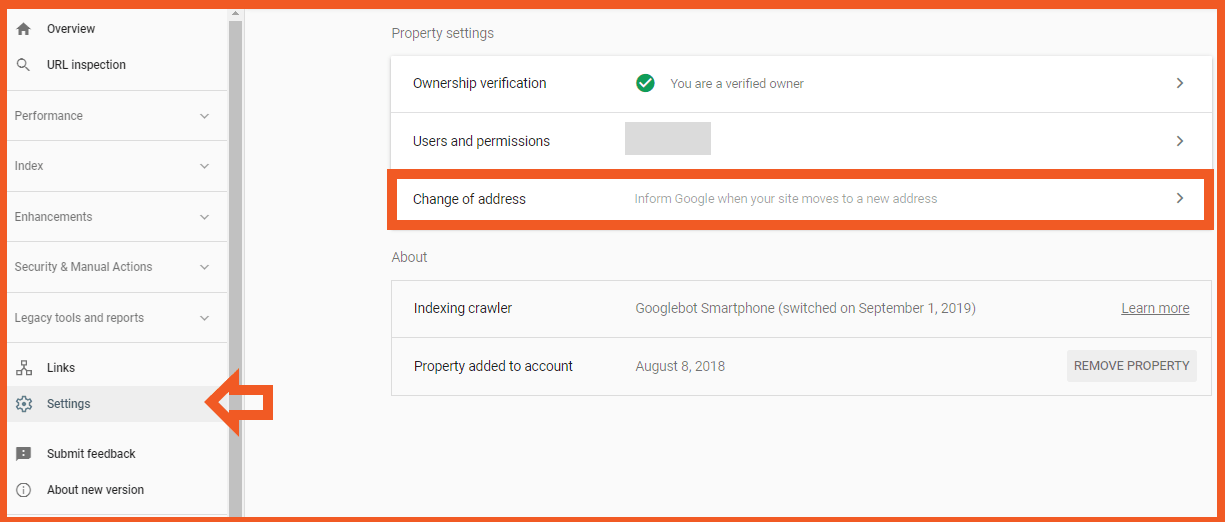
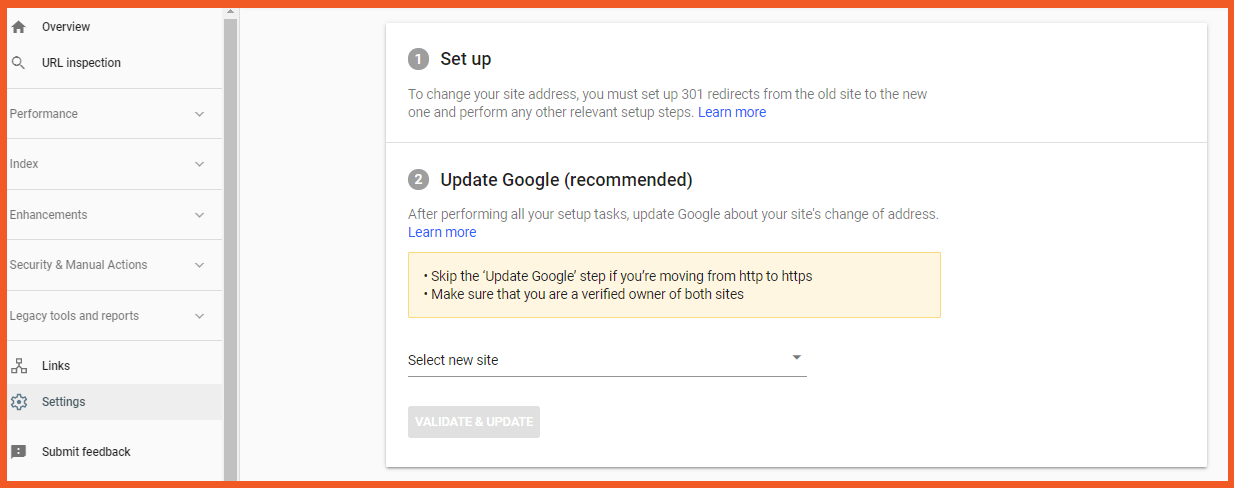
Subsequently, google has also removed the button 'Go to the old version'. Cheers.
摘自公开归档,保留原文语言,版式经整理,外部媒体与邮箱地址已移除。